Mobile access in Australia
Weedspin Mobile Casino: Browser Access and App Status
 Available in AU
Weedspin is documented as a web-based service that can be used from mobile devices, but this review did not verify a native Weedspin app in the Apple App Store or Google Play. That distinction matters. A mobile-friendly website can feel app-like in a phone browser without being an iPhone or Android app that is installed from an official store.
For Australian readers, the practical mobile question is therefore not where to download Weedspin. It is whether the browser version gives access to the parts of the account that matter: the pokies and games, payment methods, support and account setup. Those areas can be checked from the live website without inventing a store listing, download file or device compatibility promise.
Mobile overview
Access model
Web-based
Native iOS app
Not verified
Native Android app
Not verified
Support
24/7 English live chat listed
Best check
Use the current browser site
Browser versus app
Table of Contents
- Mobile access is verified more strongly than a native app
- Four Weedspin tasks that matter more than an app icon
- Why this guide does not provide an APK or App Store link
- What to test in the browser before relying on Weedspin from a phone
- A web casino should be judged by the live mobile workflow
- Weedspin mobile questions
- Test the complete mobile path, not just whether the homepage opens
- Using Weedspin on mobile without assuming a native app
Mobile access is verified more strongly than a native app
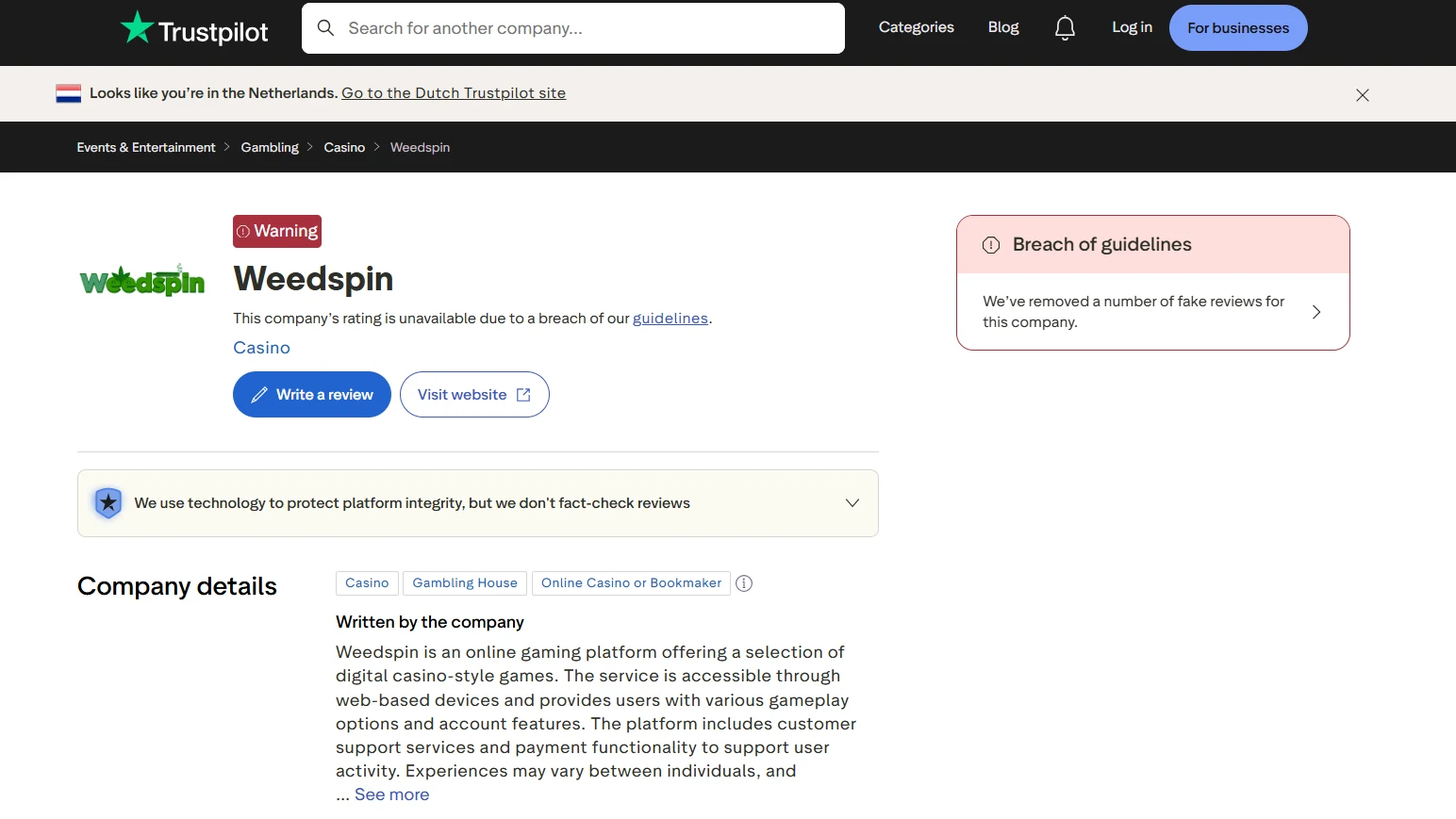
The current evidence supports web-based access. Weedspin’s Trustpilot company profile describes the service as accessible through web-based devices, while Casino Guru continues to document the casino’s games, account support and payment features as part of the live service. No verified Weedspin listing was found in Apple’s App Store or Google Play.
That is enough to answer the main user question without overclaiming: mobile use is part of the service, but a separate native app should not be assumed. If Weedspin later publishes a real store listing, the app claim should be updated from that official listing rather than from a third-party page that merely uses the word “app”.
What mobile use actually means
Four Weedspin tasks that matter more than an app icon
For most casino users, mobile usefulness is determined by whether the important account tasks work in a browser. The exact layout can change, so this guide focuses on functions rather than claiming a fixed interface or a specific phone model.
Browse pokies and live games
Weedspin has a broad documented catalogue that includes slots, table games, live games and crash games. On mobile, the key check is whether the category and provider filters remain usable on a smaller screen and whether a selected game opens cleanly in the browser. The detailed catalogue belongs in the Weedspin games guide, rather than being duplicated here.
Open the cashier
PayID and bank transfer are currently documented deposit methods and AUD is listed as a supported fiat currency. A phone can therefore be a practical place to review the cashier, but the live screen should still be treated as the source for current minimums, maximums, fees and instructions. The mobile page does not create separate payment rules.
Reach support
Casino Guru currently lists English live chat as available 24/7. On mobile, that gives users a documented support route for account, payment or game-access questions. It should be treated as a communication channel rather than a guarantee that a problem will be resolved within a fixed time.
Manage account access
Registration and verification can be relevant before depositing or withdrawing, but the current signup form and KYC document list were not directly verified. A mobile user should read the live form and any verification request shown to the account rather than following copied steps from an affiliate guide.
No download assumption
Why this guide does not provide an APK or App Store link
A download link is only useful when it points to a verified official distribution channel. No native Weedspin iOS or Android application was verified, so an APK, sideloading instruction or unofficial store link would create a much larger risk than simply using the browser version.
This is especially important for account-based gambling services. An unofficial package can ask for credentials, payment details or permissions while imitating a legitimate interface. The safer editorial rule is simple: if an official app-store listing cannot be verified, do not manufacture a download path and do not describe the mobile website as a native app.
What would count as app verification?
- A current official Apple App Store listing tied to Weedspin.
- A current official Google Play listing tied to Weedspin.
- Publisher and website details that match the brand.
- A live store page rather than an old image or affiliate claim.
Mobile checks
What to test in the browser before relying on Weedspin from a phone
A browser-first casino can still be convenient, but convenience should be verified by using the current site rather than inferred from a generic “mobile casino” label. These checks are useful without requiring a specific device model or operating-system version.
| Mobile check | Why it matters | What not to assume |
|---|---|---|
| Navigation and login | You need to be able to return to games, account and cashier screens without losing context. | Do not assume every phone or browser has been formally tested. |
| Game loading | A catalogue can be large even if individual titles behave differently on a small screen. | Do not treat one working game as proof that every title is mobile-optimised. |
| Cashier visibility | Current payment values should be readable before a transaction is started. | Do not reuse old limits or fees from a review page. |
| Support access | Live chat can be important if the account or payment flow becomes unclear. | Do not treat support availability as a resolution guarantee. |
| Verification prompts | KYC may become relevant to account handling or withdrawals. | Do not upload documents based on a third-party checklist that the live account has not requested. |
Phone-screen practicalities
A web casino should be judged by the live mobile workflow
On a phone, small usability problems become more obvious. Long game menus can require more filtering, transaction instructions need to stay legible, and support windows should not cover the controls a user is trying to inspect. None of those points requires a native app. They are browser-experience questions that can be checked directly.
A useful mobile test is to complete a non-financial tour before making any deposit: open the game categories, find the cashier, locate account settings, open support, and confirm that the browser can move between these areas without confusing redirects. That gives a clearer picture of day-to-day mobile usability than an unsupported claim that Weedspin has an “app”.
Keep browser and app claims separate
A shortcut added to a phone home screen, a progressive web interface or a responsive website can all look app-like. Unless a verified native store listing exists, the accurate description remains browser-based mobile access.
Quick answers
Weedspin mobile questions
Does Weedspin have an iPhone app?
No verified native iPhone app listing was found in Apple’s App Store. Use the web service rather than an unverified download.
Does Weedspin have an Android app?
No verified native Android app listing was found in Google Play. This guide does not provide APK links or sideloading instructions.
Can Weedspin be used on a phone?
Yes. Weedspin is documented as a web-based service accessible from mobile devices. Exact compatibility with a specific handset or operating-system version is not claimed here.
Can I use support from mobile?
Casino Guru currently lists English live chat as available 24/7. Open the current site to confirm how the chat appears on your device.
Browser workflow
Test the complete mobile path, not just whether the homepage opens
Because Weedspin is documented as a web-based service rather than a verified native app, the useful mobile test runs from sign-in through the tasks that matter after login. Check that the account menu, game lobby, cashier and support chat are readable without forcing a desktop layout. If you plan to use live games, also confirm that the stream and controls remain usable on the same device rather than assuming the public homepage proves the live lobby will work well.
The same rule applies to payments. A mobile browser that displays PayID or bank-transfer options is only one part of the workflow; the withdrawal route and any account-verification request still need to be readable and actionable on the phone. This is a stronger test of mobile usefulness than the presence of a home-screen shortcut or a third-party download button.
Also test the support route from the same mobile session. If a game or cashier step fails on a phone, being able to open the documented English live chat without losing the relevant account screen can matter more than whether the website looks polished on the homepage.
Browser-first approach
Using Weedspin on mobile without assuming a native app
The cleanest description of Weedspin’s current mobile setup is browser-first. Web access is documented, while a native iOS or Android app has not been verified. That means the sensible mobile workflow is to use the current website, inspect the live cashier and account screens, and avoid unofficial download packages.
From there, assess the pieces that matter to your own use: whether the pokies and games load cleanly, whether mobile payments are readable and whether the registration and account flow shows clear instructions. For the wider brand context, return to the Weedspin review.
Written by the editors at Weedspin Casino.